The Masjid App
Role
Sole Product Designer
Overview
The Masjid App connects Muslims to their local communities by providing accurate prayer times, Iqama schedules, and other mosque-related information. As the platform expanded, maintaining reliable data and ensuring smooth interaction across roles became a challenge. There were no defined user journeys for core tasks, leading to low engagement and friction for both users and mosque administrators.
Output
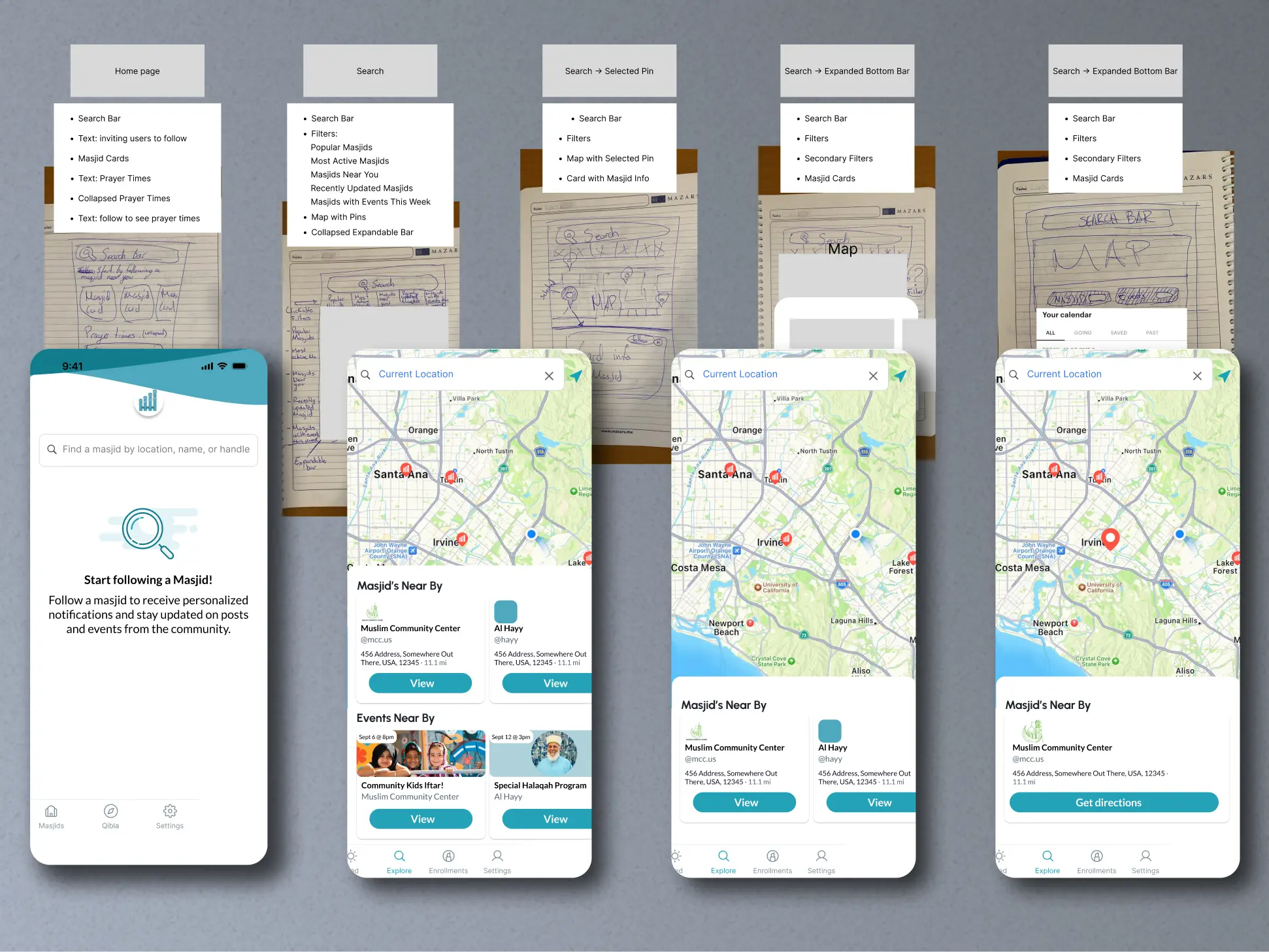
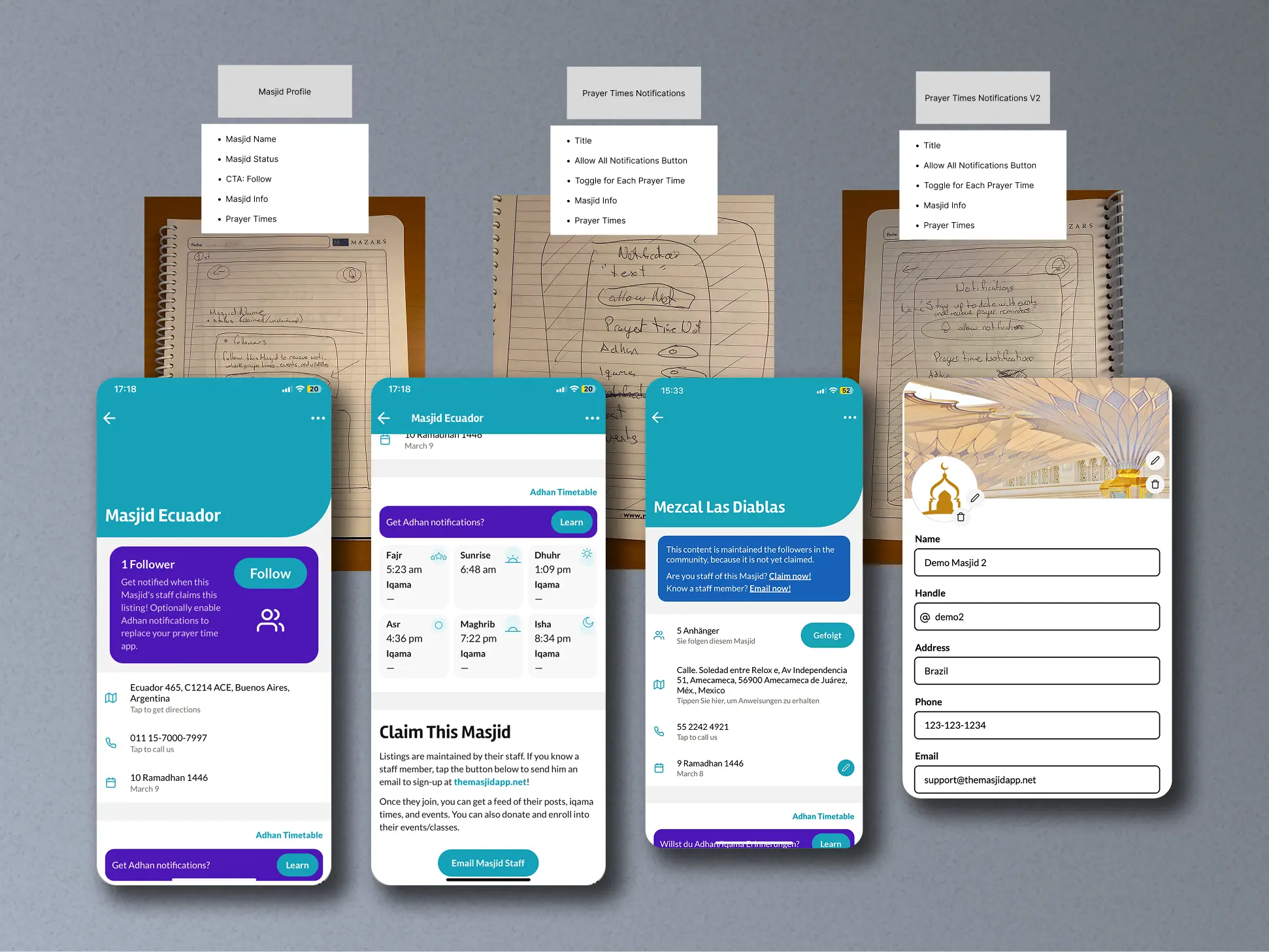
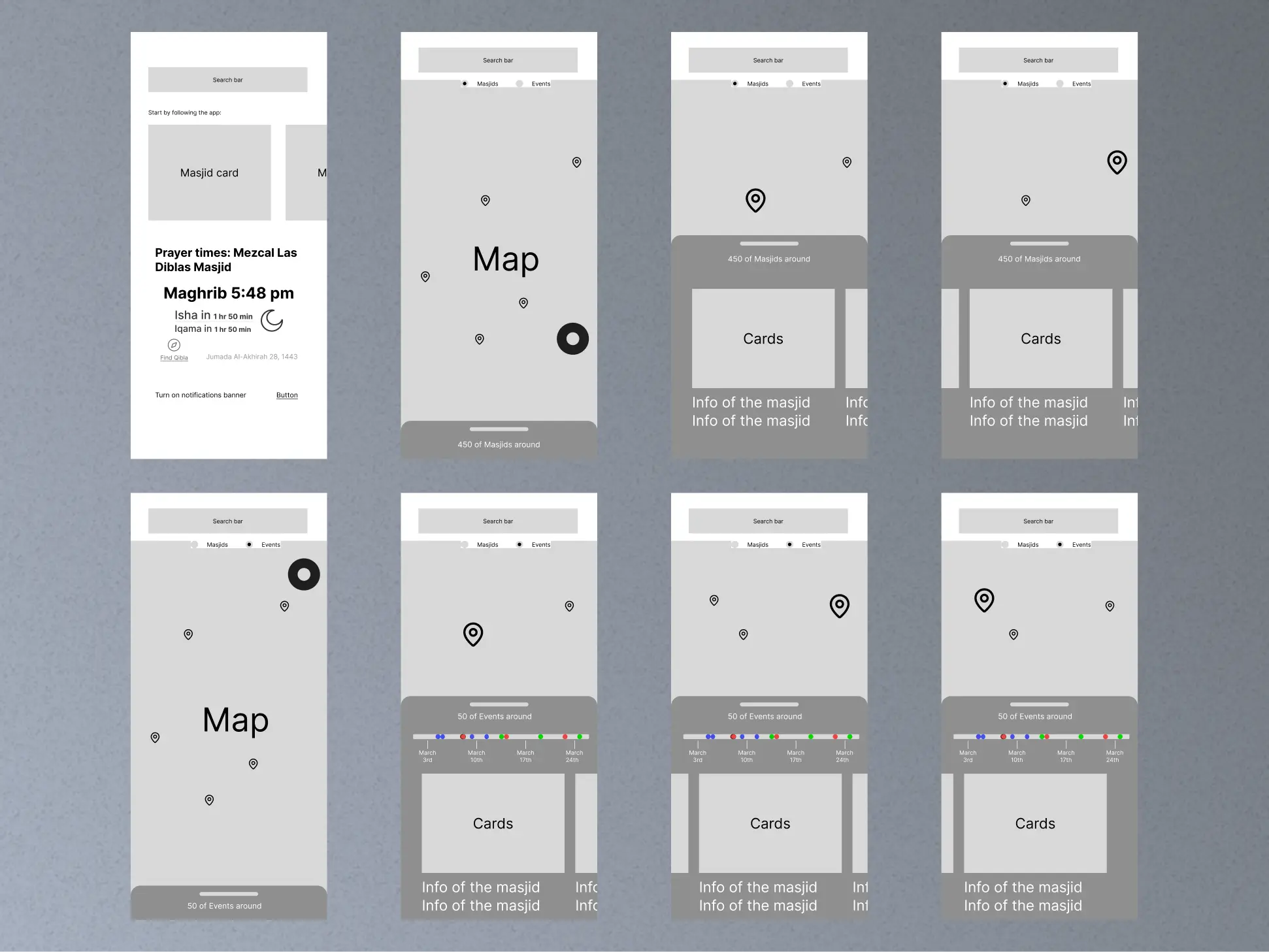
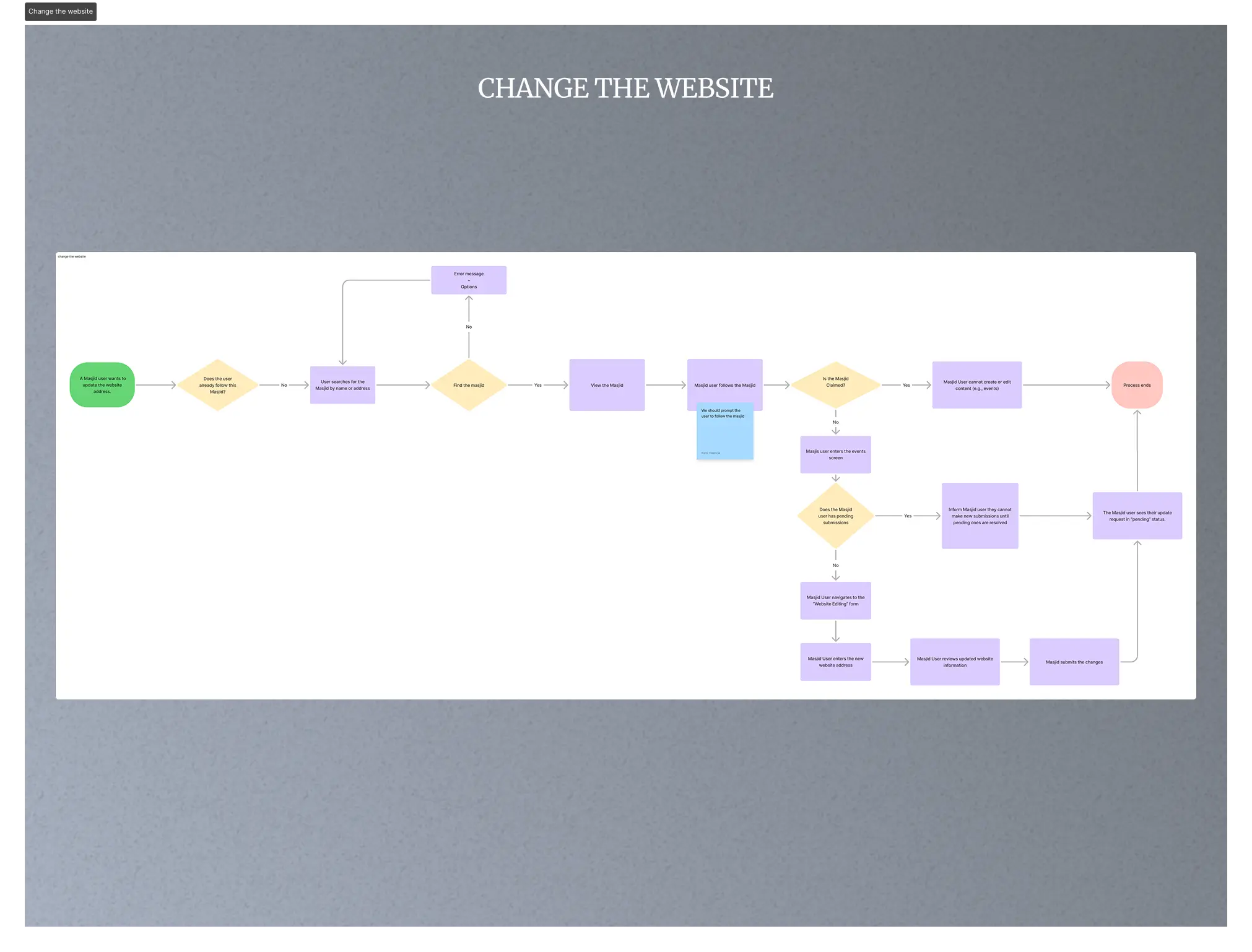
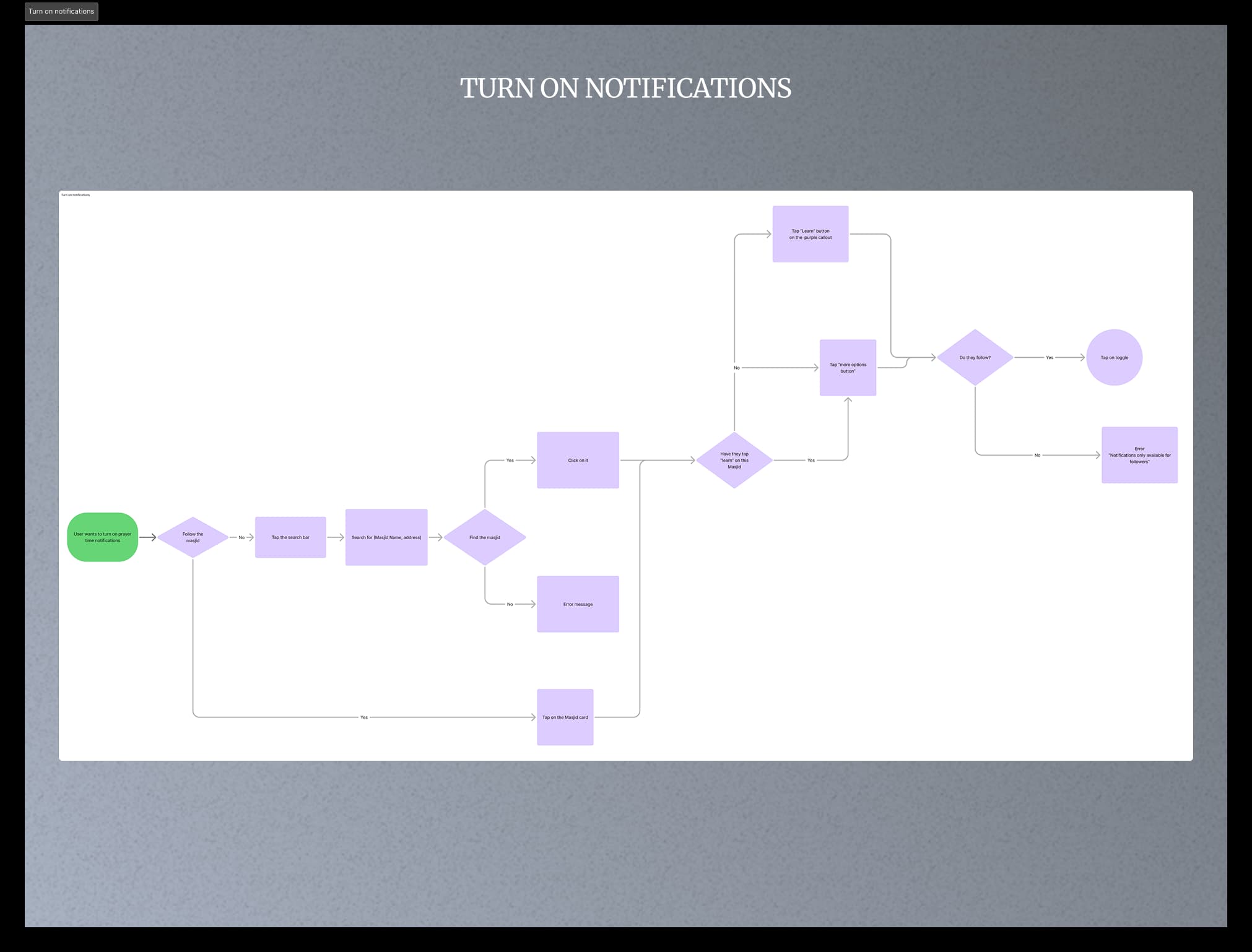
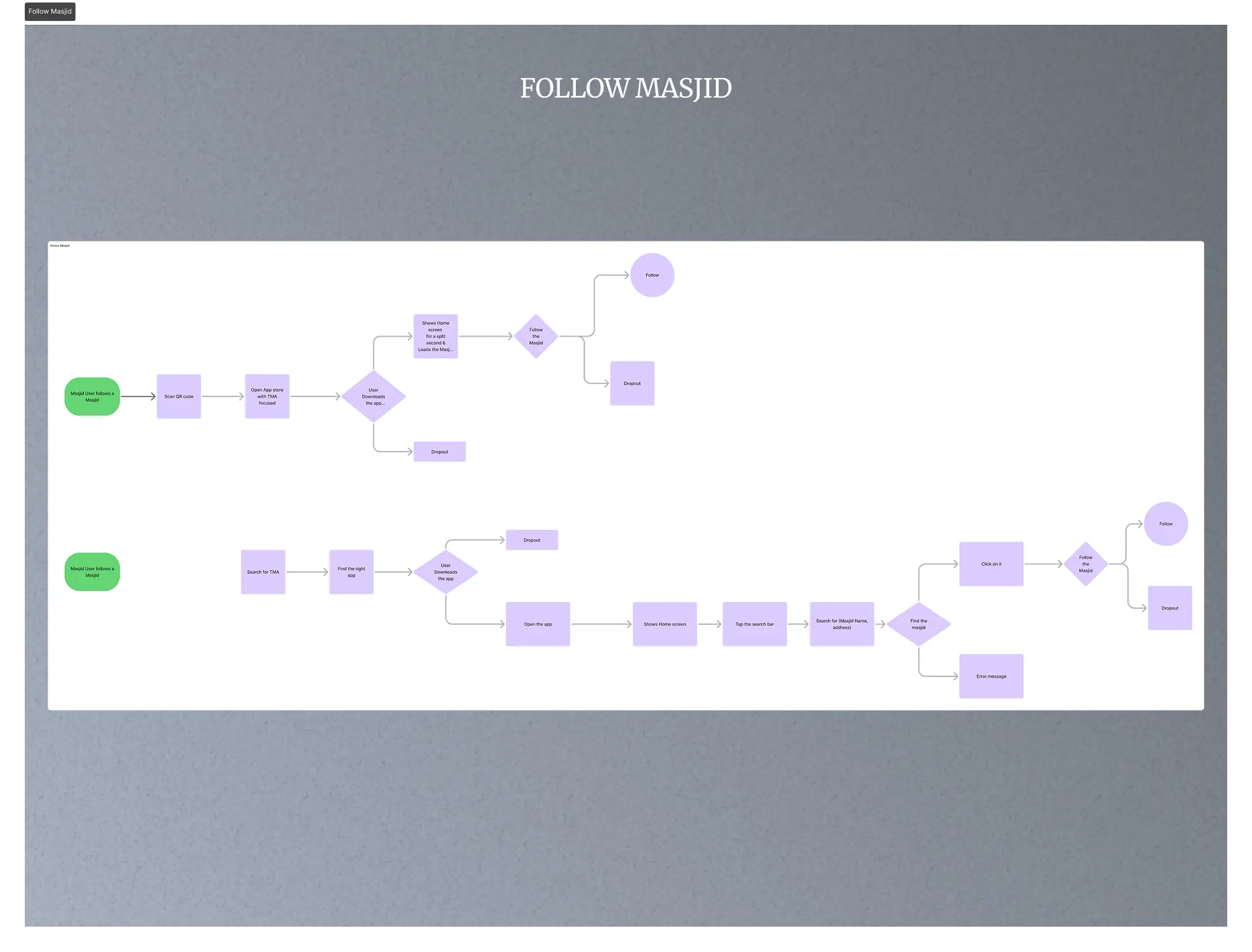
Complete user-journey mapping for mobile, admin, and community roles.
Redesigned UI system in Figma to ensure consistency across the app and admin dashboard.
Simplified dashboard experience to improve data input and mosque management.
Defined role-based permissions and a Wiki-style structure for community-driven content updates.
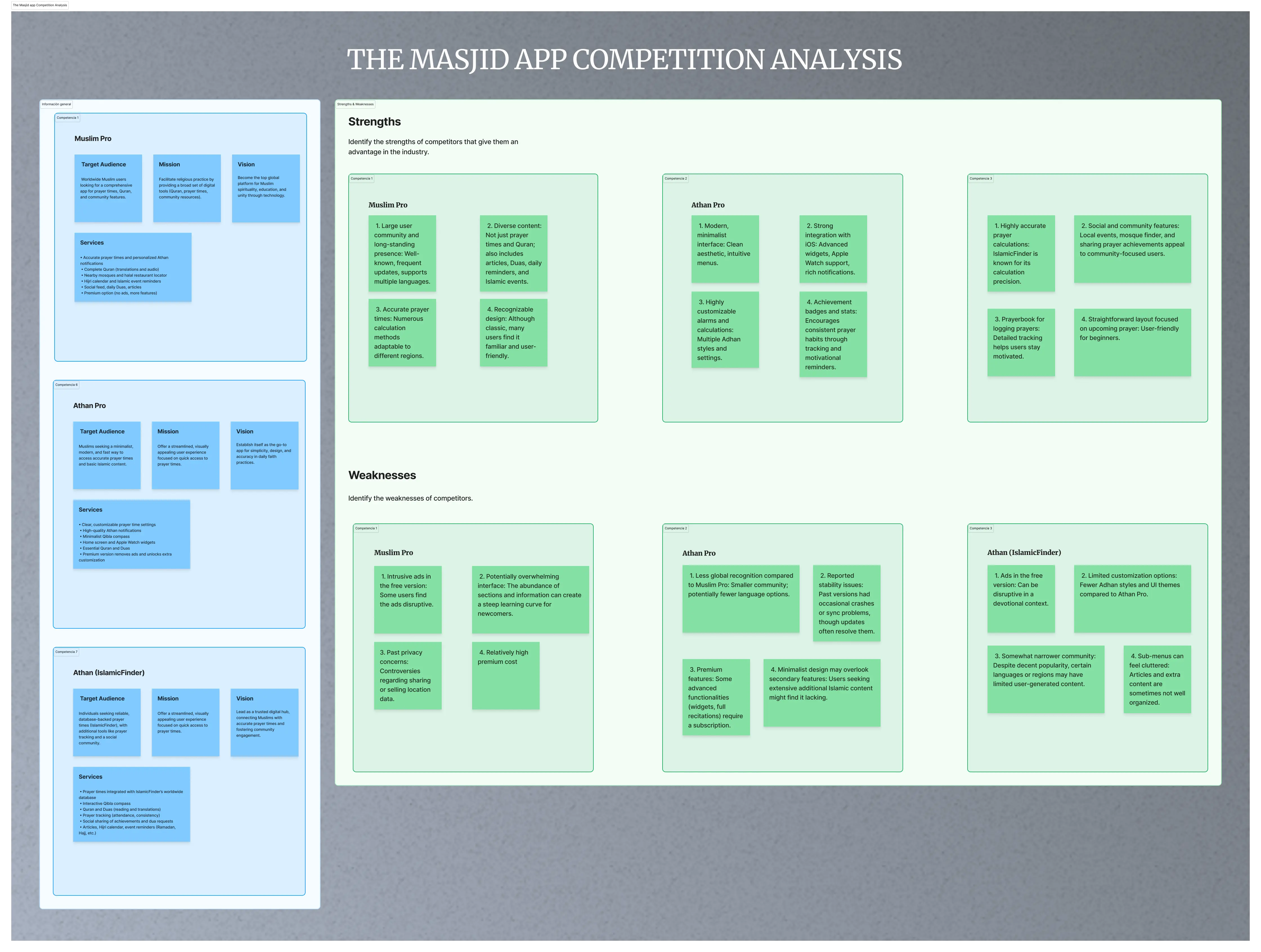
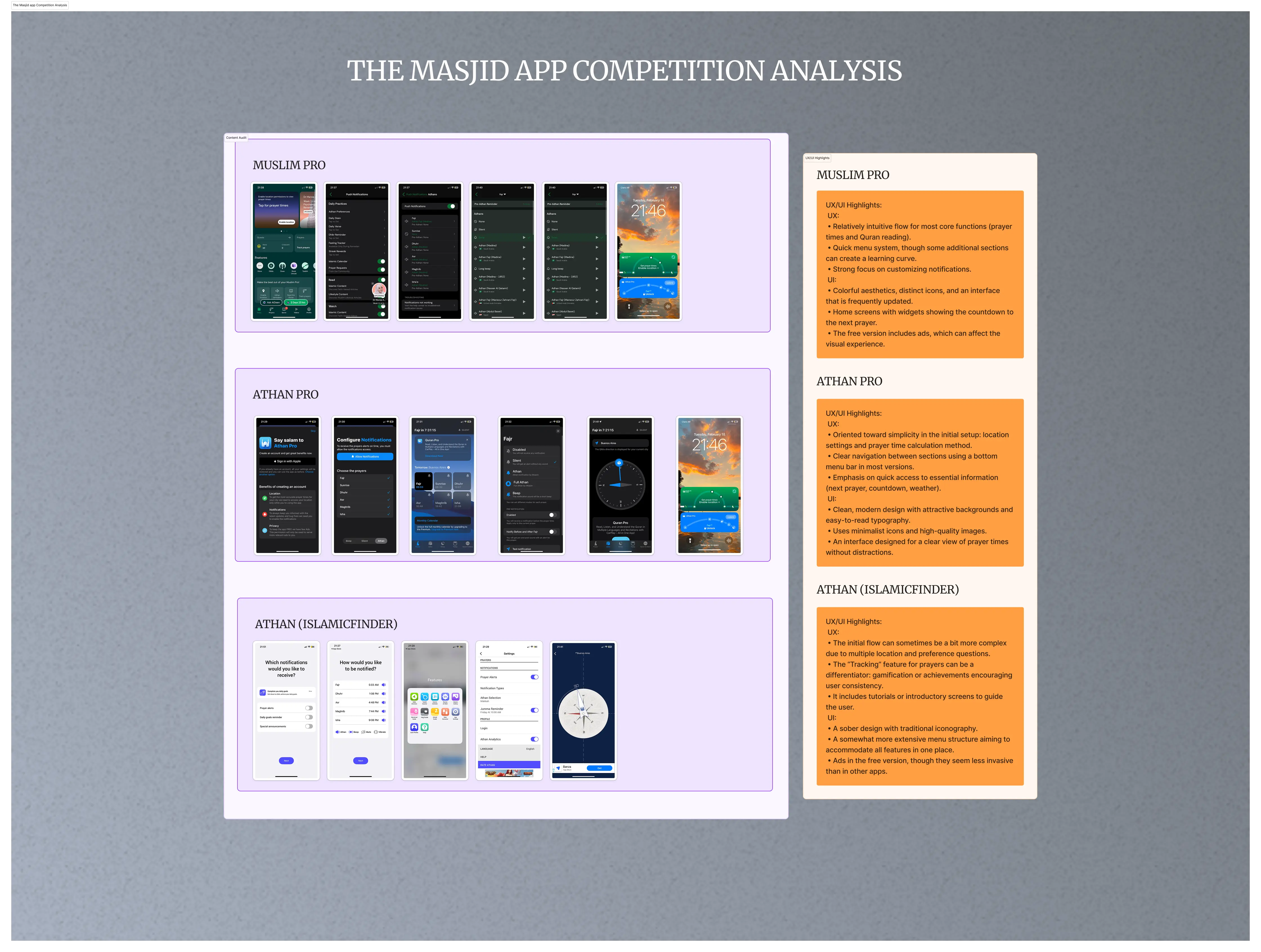
Benchmarking of competitor apps to identify opportunities and refine usability standards.
B2B
Challenge
The product had grown without clearly defined journeys for its three core personas: mosque visitors, mosque admins, and super admins. This created friction at every step (registering a mosque, updating information, finding accurate prayer times) and made the platform harder to scale as more communities joined. The dashboard had accumulated complexity without a clear hierarchy, slowing down admin workflows. The visual language was also inconsistent between the mobile app and the admin tools, making the product feel like two separate experiences. The challenge was to map the missing flows, simplify the admin experience, and bring both surfaces under a single design system.
Solution
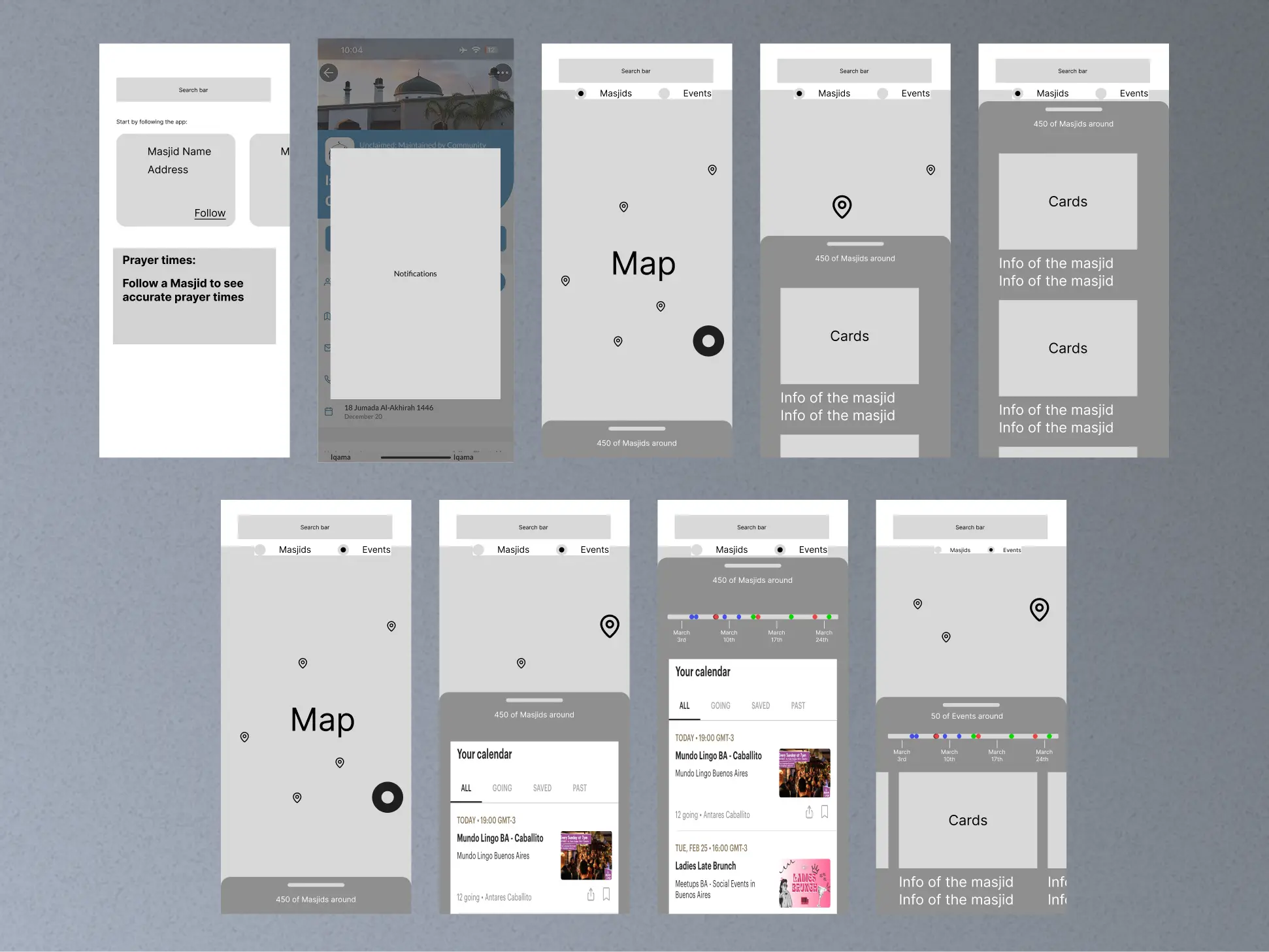
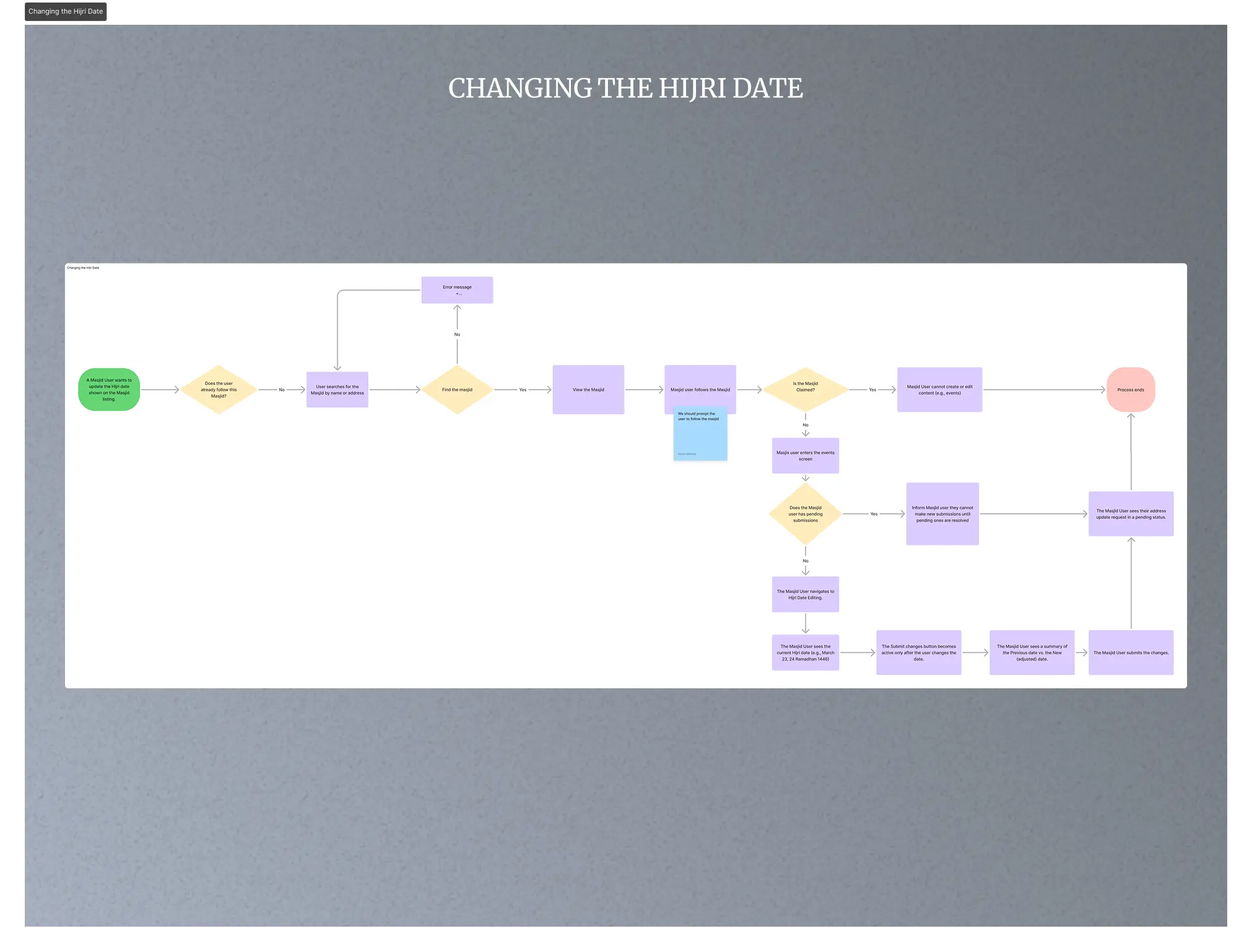
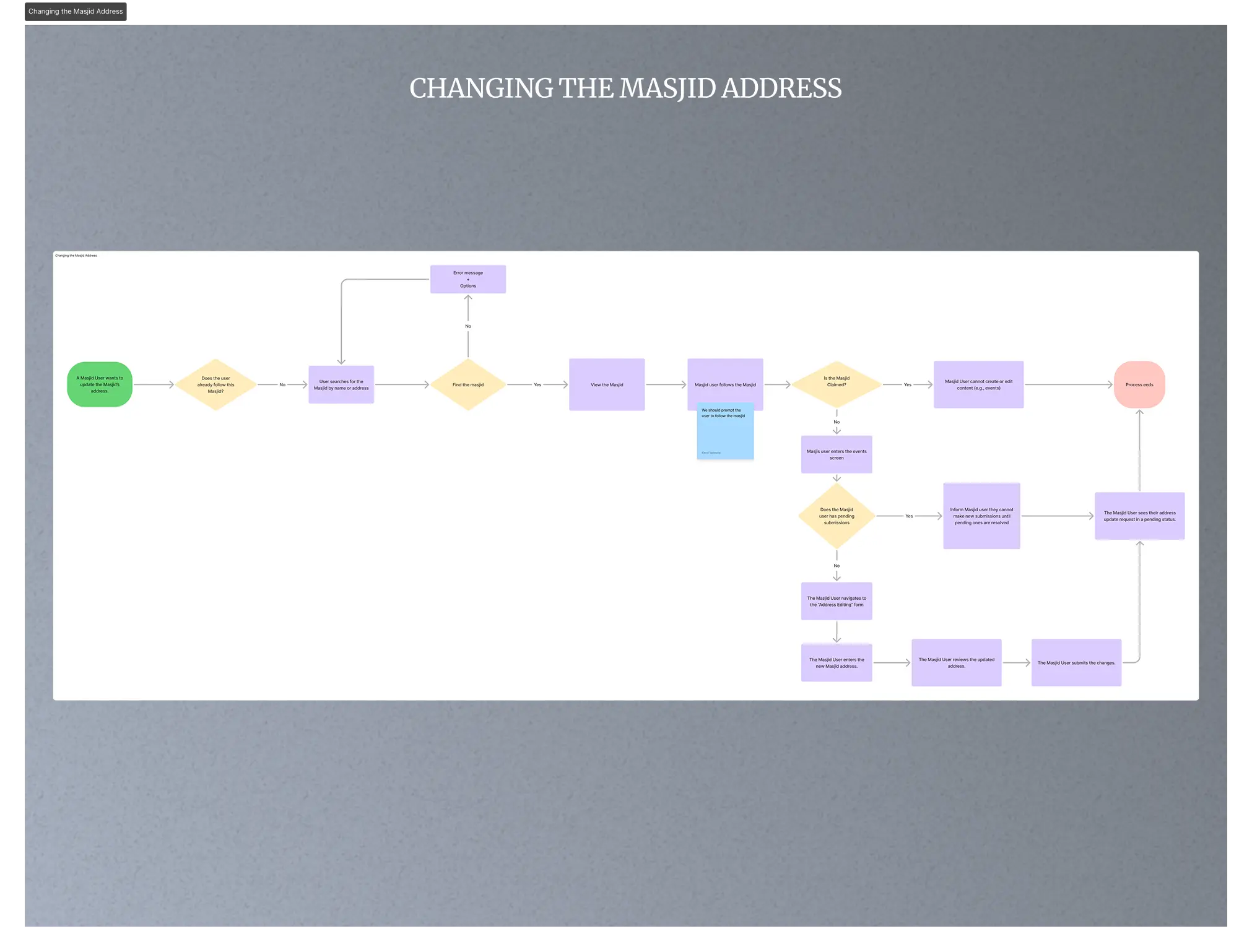
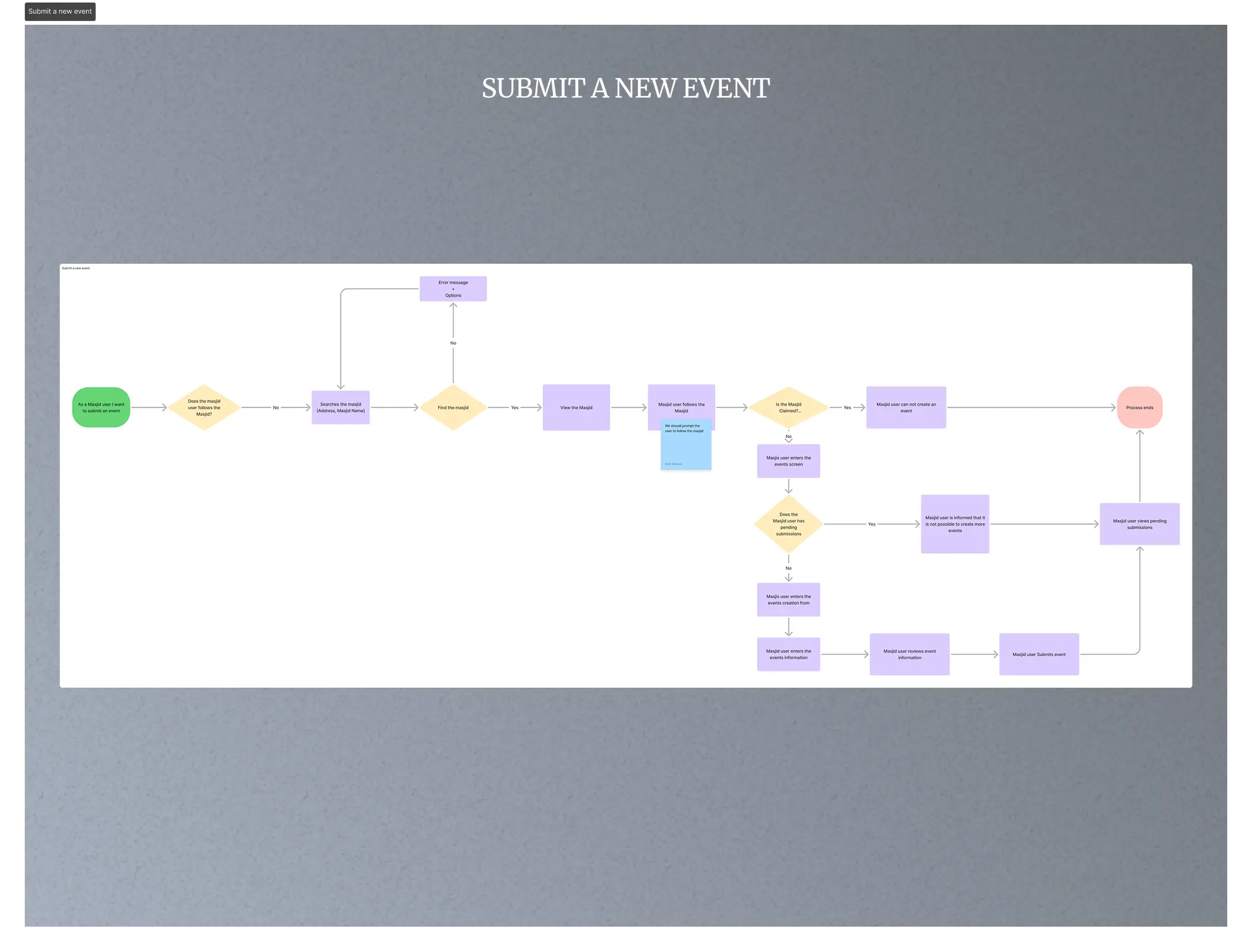
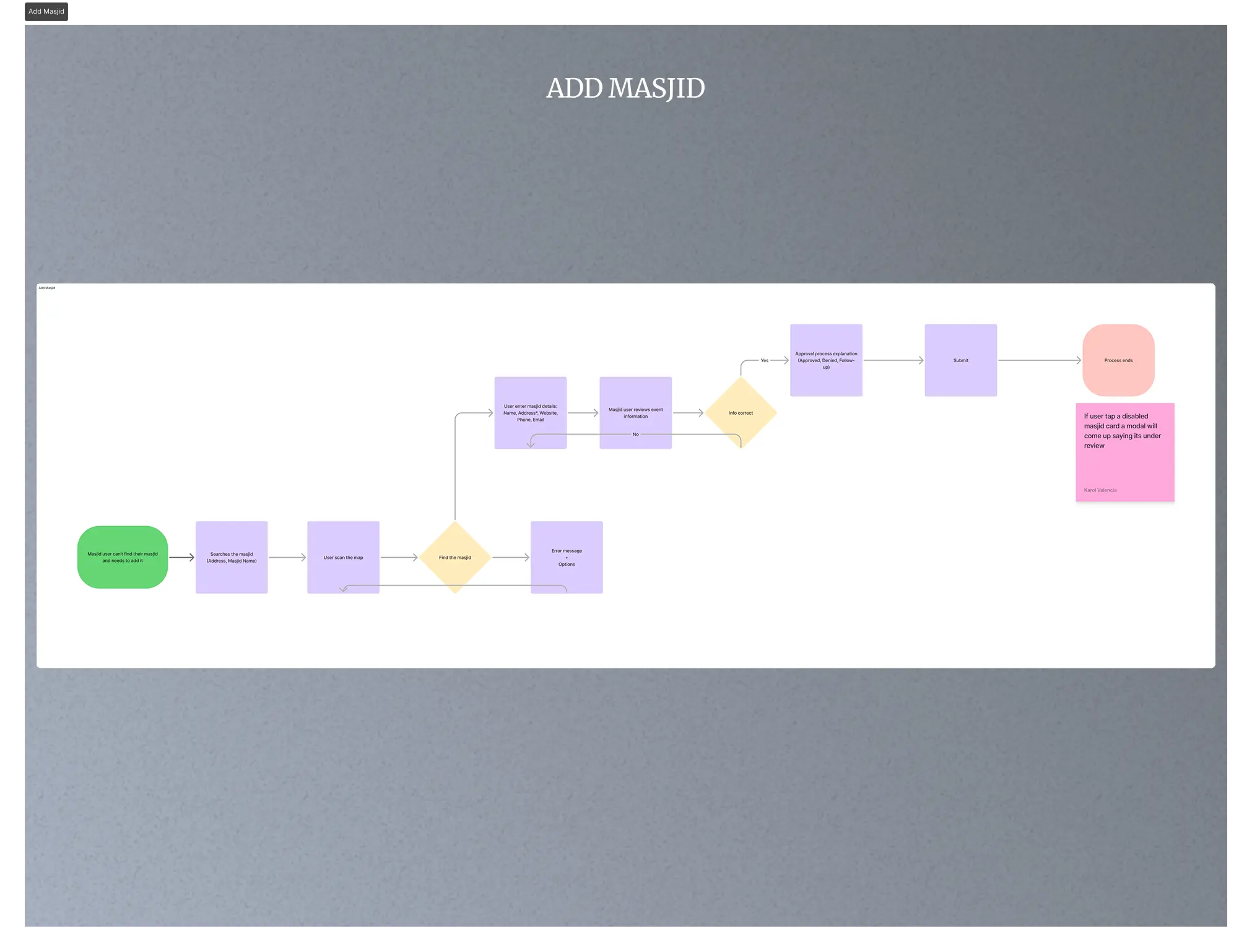
I worked directly with the client to define user flows for each persona, starting with the journeys that had the highest friction: mosque registration and information updates. For the dashboard, I restructured the information architecture so the most frequent admin actions were one or two steps away, instead of buried under nested menus. We explored several models for how mosque data could be maintained at scale, and the client proposed a Wiki-style approach where verified community members could contribute updates while premium mosques remained under professional service plans. I designed the role-based permissions and moderation hierarchy to make that model work in practice. The UI was rebuilt in Figma as a shared system across mobile and dashboard, so visual and interaction patterns stayed consistent regardless of which surface the user was on.
Impact
The redesign established a clear and scalable product framework.
Users can now navigate more intuitively and access prayer data more efficiently, while administrators benefit from a streamlined dashboard that simplifies mosque registration and information management.
The community-driven Wiki model increased mosque submissions and engagement, reduced maintenance overhead, and improved overall data accuracy.
30%+
50%+
Growth in user participation through the Wiki update system
~30%
Estimated reduction in admin maintenance workload after dashboard redesign
Process
Research and Benchmarking: Entered the domain with no prior knowledge of Muslim prayer apps or community platforms. Analyzed three key competitors (Muslim Pro, Athan Pro, IslamicFinder) across target audience, mission, services, UX flows, and UI patterns. Used the apps directly to understand the experience from the user's perspective before defining any design directionUser Journey Mapping: Defined complete flows for every role, revealing friction points and redundant steps.
UI Design System: Built a cohesive visual language in Figma, ensuring scalability and alignment with brand identity.
Dashboard Redesign: Simplified information architecture for better management and clarity.
Wiki Model Definition: Created rules for user roles, permissions, and moderation hierarchy.
Testing and Iteration: Conducted usability reviews with users and mosque admins to refine flows and address cultural considerations.
Outcome
The redesigned app and dashboard shipped with defined user journeys for each persona and a shared design system across surfaces. The Wiki-based content model allowed the platform to scale community contributions without proportionally increasing admin workload. The cleaner dashboard structure reduced the time it took admins to complete frequent tasks, and the consistent visual language made the product feel like a single experience rather than two disconnected tools.